 atapas
Introducing TryShape: Give Your Creativity a Shape


6 min read
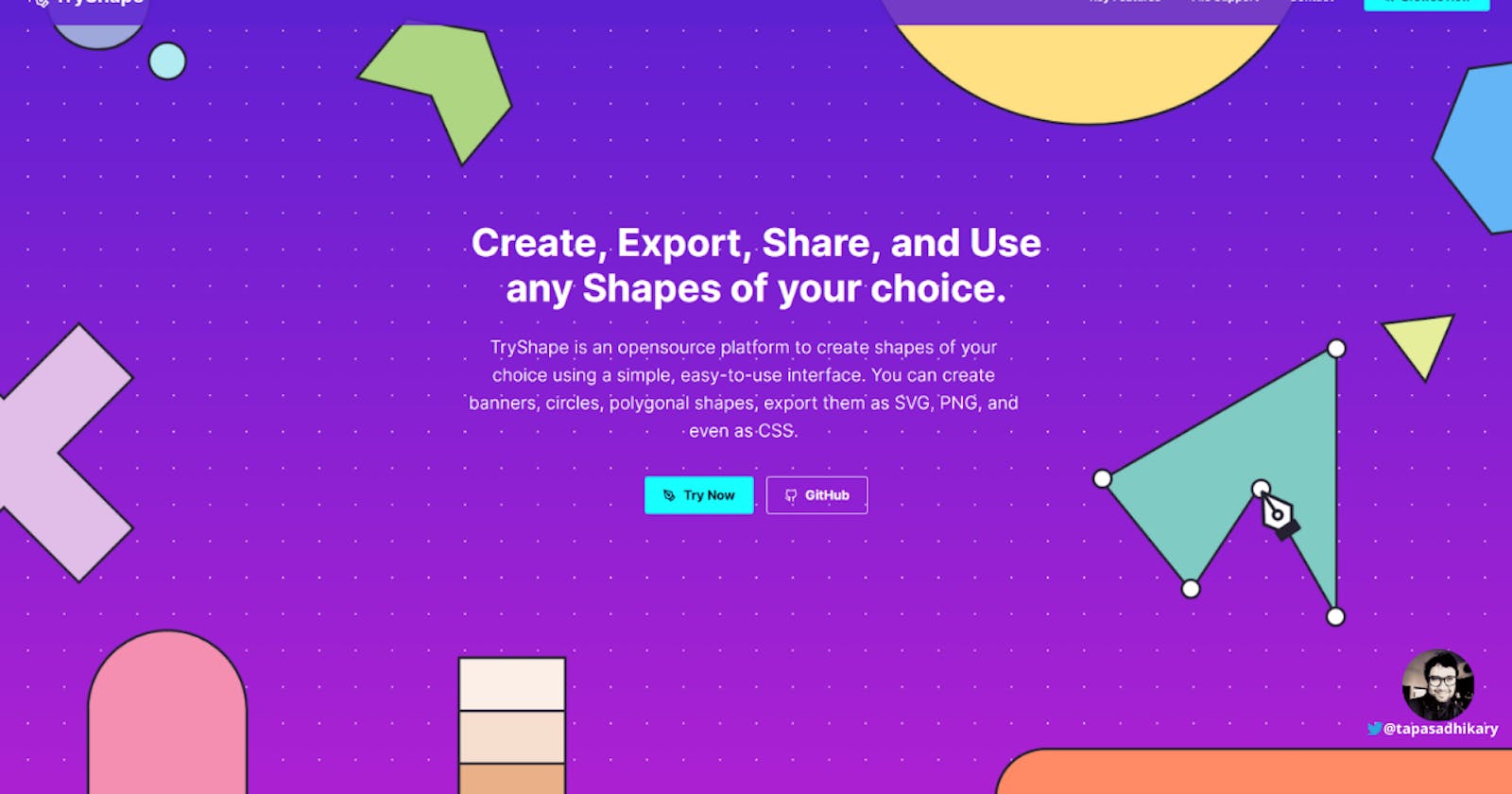
We all are creative at heart. Any creativity needs support, encouragement, and tools to take the desired shape. As creative web developers, designers we think about using custom graphics for banners, elements, backgrounds, and many more. We can not ignore the need to create our shapes and use them as images, CSS rules, properties in our application.
✌️ Introducing TryShape
TryShape is an open-source platform to create shapes of your choice using a simple, easy-to-use interface. You can create banners, circles, polygonal shapes, export them as SVG, PNG, and even CSS snippets.
Here is a quick demo of all the features of TryShape as of today,
TryShape app link
https://tryshape.vercel.app/
The source code is available on GitHub. Please take a look and contribute.
GitHub Link: https://github.com/TryShape/tryshape
Liked it? Please give a ⭐️ to TryShape to build its triceps 💪 stronger.
🔥 Features
TryShape comes with a bundle of features already. You can do the followings with it,
🔢 Listing
- List out shapes for you to pick and use.
🏗️ Create and Manage
- Create any shapes using an intuitive editor.
- Create Polygonal, Circular, Elliptical shapes without knowing the underlying complexities like CSS clip-path.
- Add/Remove vertices, join them, drag-drop to position them to create a shape.
- Provide your choice of colors, add the contextual information as notes while creating the shapes.
- Are you an expert in CSS clip-path? Great, you can add a clip-path value directly and start from there.
📢 Share & Make it Public
- You can create a shape and share it with the TryShape community by making it public.
- Do you want to keep your creativity private? No worries, that's possible too.
💘 Like
- Liked a shape and want to add it to your shape collection? You can do that just with a click. Want to undo? That's supported as well.
✨ Export
- Export the shapes to use in your application.
- Export the shapes as PNG, JPEG, and SVG files.
- Single-Click Copy of the underlying CSS and clip-path property to use directly into your web app.
🔍 Search
- Search a shape with key-in search.
🎿 Sort
- Sort shapes by most liked, recent, and oldest.
🔑 Authentication & Authorization
- Features like export, like, create, edit shapes need you to authenticate with the app. You can use your Gmail or GitHub credentials to authenticate to the app. It is secured and powered by
Google Firebase.
📱 Responsive and mobile-friendly
- Use
TryShapeseamlessly from any device.
🍔 Technology Stack
TryShape is my official entry to the #harperdbhackathon. So undoubtedly, the HarperDB is part of its tech stack. I had an opportunity to explore some exciting frameworks and libraries while implementing this project. Here is the list of them,
- Next JS: The most astonishing React-based framework on the planet
- Harper DB: A flexible Data Store
- react-icons: One shop for all the icons
- react-hot-toast: Super cool toast messages
- firebase: Authentication services
- date-fns: Date formatting
- axios: Makes API calls easy
- react-bootstrap: A popular frontend framework built-for React
- Styled Components: Visual primitives for the component age
- react-clip-path: A homegrown module handles clip-path property in a React app.
- react-draggable: Make a HTML element draggable in React
- react-loader-spinner: Provides simple React SVG spinner component which can be implemented for async-await operation before data loads to the view
- react-switch: A draggable toggle-switch component for React.
- downloadjs: Trigger a download from JavaScript
- html-to-image: Converts an HTML element to image
- Vercel: Best for Hosting a Next.js app
🚊 The Journey
Let's start by talking about the idea and history first. So, here is the flashback.
Flashback
I had created a Hackathon project called Anko to provide a mathematics practice platform for kids. When I wanted to expand it with additional features, I found, I need various shapes(like circles, polygon, ellipses, many more) to form exciting questions. This thought made me look into the CSS clip-path property, and I found it exciting. Then, I created a simple npm(node package manager module) to create shapes using clip-path in a React-based project. It's called react-clip-path that is available publicly to use.
Naturally, the next step is to enable users to create, manage, share, export, and use shapes. That's how the idea of TryShape took place. So from one side hustle to another 😃.
Design & Implementation
Let's touch upon the design consideration and implementation part briefly here. You can have a look at the code or DM me on Twitter for any detailed understanding. I will be thrilled if you take part in the journey as a contributor.
Database

I had an opportunity to explore HarperDB while writing an article to configure and use it with gatsby. The flexibility, ease of use, and comprehensive documentation make it easy for anyone to start with HarperDB.
After initial setups, I have created a schema and three tables to store data for shapes, likes, and users, respectively.
- The
shapestable contains the shape metadata information like name, color, createdBy, types, formula(clip-path value), description, visibility(private pr public). Theuserstable containers the users who create and manage shapes using TryShape. - The
likestable contains the information of which users liked what shapes.
Authentication

TryShape uses Google Firebase to set up social logins with Gmail and GitHub accounts. It is super easy to configure the authentication mechanisms and integrate them with any JavaScript applications. After creating a web project in Firebase, we need to take the configurations to use with the user interface framework.
APIs & User Interfaces

The Next.js is the one-point solution for both APIs and User Interface components. It is an excellent framework to define components, routes, APIs in a single go. I have created APIs to interact with the database tables. It is a safer approach than interacting with HarperDB directly from a React component.
The User Interface components are heavily supported by styled-components and several other libraries for icons, loaders, and handling clip-path.
🦄 Upcoming Features
TryShape has all the potentials to grow further. Here are some of the upcoming features planned(not in any order),
- ✔️ Add the ability to create a shape using SVG elements to support Curvy Node adjustments.
- ✔️ Manage your shape collection
- ✔️ Show Trending shapes
- ✔️ Import shapes
- ✔️ Following a contributor.
- ✔️ PWA(Progressive Web App)
- ✔️ Accessibility improvements
- ✔️ Flexible Datastore
- ✔️ Better Performance
- ✔️ Tagging a shape
- ✔️ Cloning a shape
- ✔️ Provide comment on a shape.
- ✔️ More authentication mechanisms like Twitter, Facebook, etc.
If you find something is missing, TryShape is listening. Please create a feature request from here.
🤝 Contributing to TryShape
Any kind of positive contribution is welcome! Please help it to grow by contributing to the project.
If you wish to contribute, you can work on any features listed here or create one on your own. After adding your code, please send us a Pull Request. My sincere thanks to everyone already started contributing to it since I have made it public 🙏.
🙏 Support
We all need support and motivation. TryShape is not an exception. Please give this project a ⭐️ to encourage and show that you liked it.
If you found the app helpful, consider supporting it with a coffee.

I hope you enjoyed this article or found it helpful. Let's connect. Please find me on Twitter(@tapasadhikary), sharing thoughts, tips, and code practices. Please give a follow. You can hit the Subscribe button at the top of the page to get an email notification on my latest posts.
That's all for now. Please take good care of yourself & your family. See you soon with my next side hustle. Keep hacking!!!
Comments (22)

Wow ✨️, This looks so amazing. I'm already in love with the amazing features it has. This is going to be super handy for me as well as many other developers over there. Thanks for building such an amazing tool Tapas Adhikary, Can't wait to see it grow.
Keep up the amazing work 👏

Oh no, I'm late to the comments! But it's an amazing project and initiative! As expected from the amazing Tapas! 👏 Always building inspiring projects for everyone!👏

Loved this one. 🙌 It looks really good. and the upcoming features roadmap looks promising. Also, couldn't find the demo link in the post, had to see it through the Github repo.

This is a great project and very different from what I've seen from the other creators.
You did -once again- an amazing job.
Thank you Tapas Adhikary.

Wow! I can't believe someone can build such an amazing tool in such a short amount of time! Loved the tool. Definitely going to use on my projects.

This is a really cool project Tapas Adhikary and a great idea! Love the design and colors as well and I look forward to trying it out properly tonight. Well done 👏

This is amazing and at the same time unique also. It's enough to make life simple in multiple aspects. Loved it.
Great idea, even greater execution. Thank you........

WoW! this project is gonna help me and other developers a lot. Really loved the UI. you did an amazing job there.

This looks amazing! This mini Figma is going to be super handy ⚡️.
Keep up the amazing work Tapas Adhikary👏

Wow Tapas,
This is so cool, actually could have used it yesterday! Loving this buddy ❤️


Looks great, thanks for sharing as well.. Looking forward to the upcoming features.. great work 👏👏👏👏


This is really a big project and also helpful.
It will surely come handy whenever I need to work with shapes, nice tool Tapas.

Amazing.....

Thanks for sharing this informative article, I am a photographer that's why your article is really helpful for me. mylittleone.photography